Category: Gadgets

Explore the latest smart gadgets, wearable technology, wireless audio devices, smart home electronics, and practical buying guides designed to simplify everyday life in 2026.

  • Best Free AI Apps for Android & iPhone in 2026: 10 Everyday Tools That Save Hours Every Week

    Best Free AI Apps for Android & iPhone in 2026: 10 Everyday Tools That Save Hours Every Week

    Artificial intelligence is no longer limited to desktop browsers or expensive monthly subscriptions. In 2026, free mobile AI apps on Android and iPhone can summarize long PDF documents during a commute, transcribe voice notes into clean bullet points, translate menus in real time, and help students solve tricky homework concepts in seconds.

    Because app stores are crowded with look-alike apps charging hidden weekly fees, finding genuinely useful free AI tools takes careful testing. Below are ten reliable, free AI apps for Android and iPhone that everyday users, students, and professionals can rely on without paying upfront.

    1. Google Gemini (Best All-Around AI Assistant for Android & iPhone)

    Google Gemini acts as a fast everyday assistant directly on your phone. You can type questions, speak naturally using Gemini Live, or point your camera at an object or document to ask follow-up questions in real time.

    • Best For: Quick research, drafting polite emails, brainstorming study notes, and voice conversations while walking or driving.
    • Free Tier Highlights: Generous daily access to text, voice, and image understanding at zero cost.

    2. ChatGPT Mobile App (Best for Writing, Brainstorming, and Voice Practice)

    The official ChatGPT app by OpenAI brings clean voice mode, image analysis, and structured explanations to both iOS and Android devices.

    • Best For: Practicing spoken English or new languages, summarizing long articles, and breaking complex topics into beginner-friendly steps.
    • Free Tier Highlights: Includes access to modern conversational models, voice chat, and file uploads with daily usage limits.

    3. Perplexity AI (Best for Cited Answers and Fast Fact-Checking)

    Unlike traditional chatbots that sometimes guess facts without showing where information came from, Perplexity AI searches the live web and displays clickable source links beside every answer.

    • Best For: Checking current tech specs, verifying news claims, and researching school or office projects with trustworthy citations.
    • Free Tier Highlights: Unlimited quick searches with clear source footnotes and follow-up question suggestions.

    4. Microsoft Copilot (Best for Office Documents and Image Creation)

    Microsoft Copilot combines conversational AI with built-in image generation and seamless compatibility with Word, Excel, and PowerPoint workflows.

    • Best For: Creating clean presentation outlines, generating blog or school project illustrations, and summarizing web pages inside Microsoft Edge.
    • Free Tier Highlights: Free AI chat and built-in image creation with a standard Microsoft account.

    5. Adobe Scan (Best Free AI Document & Receipt Scanner)

    Adobe Scan uses on-device computer vision to automatically detect document edges, remove shadows, sharpen blurry handwriting, and convert phone camera photos into searchable PDFs using Optical Character Recognition (OCR).

    • Best For: Scanning ID cards, class notes, warranty receipts, and signed forms cleanly without needing a physical scanner.
    • Free Tier Highlights: Unlimited high-quality PDF scans and automatic text recognition.

    6. Otter.ai (Best for Recording and Summarizing Meetings or Lectures)

    Otter.ai records spoken audio from university lectures, interviews, or team meetings and turns speech into searchable text transcripts with automatic speaker labels and key takeaways.

    • Best For: College students, journalists, and remote workers who want accurate notes without typing frantically during live discussions.
    • Free Tier Highlights: Free monthly transcription minutes with automatic summary highlights.

    7. Google Lens (Best Visual Search and Real-Time Camera Translator)

    Built directly into Android phones and available inside the Google app on iPhone, Google Lens lets your camera identify plants, translate foreign-language signs instantly, copy printed text from books, and compare product prices online.

    • Best For: Travelers, shoppers, and students who want instant information about anything visible through their camera.
    • Free Tier Highlights: 100% free with no subscription required.

    8. Grammarly Keyboard (Best for Error-Free Emails and Messages)

    Grammarly integrates directly into your smartphone keyboard to catch spelling slips, awkward phrasing, and tone issues across Gmail, WhatsApp, LinkedIn, and browser forms.

    • Best For: Students, job seekers, and professionals writing important emails or social posts on a small touchscreen.
    • Free Tier Highlights: Real-time spelling, grammar, and punctuation corrections across all apps.

    9. Snapseed or Google Photos Magic Editor (Best Free AI Photo Cleanup)

    Google Photos (with built-in AI editing tools) and Snapseed allow everyday users to remove distracting background objects, brighten backlit portraits, and sharpen blurry photos in a few taps.

    • Best For: Cleaning up travel photos and product pictures quickly without desktop editing software.
    • Free Tier Highlights: Essential AI eraser, lighting balance, and portrait tools available free on modern phones.

    10. Duolingo (Best AI-Powered Language Learning App)

    Duolingo uses adaptive AI algorithms to personalize daily 5-minute vocabulary and speaking lessons based on the exact mistakes you make.

    • Best For: Building a consistent daily habit in English, Spanish, French, German, or Japanese.
    • Free Tier Highlights: Complete core language courses available free with ad support.

    3 Safety Tips Before Installing Any AI App on Your Phone

    1. Download Only from Official App Stores: Avoid look-alike apps with similar logos—always verify the official developer name (such as Google LLC, OpenAI, Microsoft Corporation, or Adobe).
    2. Watch Out for “3-Day Free Trial” Subscription Traps: Many clone AI apps ask for UPI autopay or card approval immediately on launch—stick to the trusted apps listed above that work genuinely free without forcing payment details.
    3. Never Paste Bank Passwords or Private IDs into AI Chats: Keep sensitive financial credentials, OTPs, and confidential company documents out of public AI chat windows.

    Frequently Asked Questions (FAQs)

    1. Which free AI app is best for students on Android and iPhone?

    Google Gemini and Perplexity AI are ideal for students because Gemini explains difficult concepts step by step while Perplexity provides clickable source links for verifying facts.

    2. Do free AI apps slow down my smartphone or drain battery quickly?

    Cloud-based AI apps like ChatGPT, Gemini, and Perplexity run their heavy processing on remote servers rather than your phone’s processor, so they use very little battery compared to mobile games or video editors.

    3. Can I use these AI apps without entering a credit card or UPI mandate?

    Yes. Every app listed in this guide offers a genuine free tier that works immediately after signing in with a standard Google or Apple account—no credit card or autopay setup is required.

    4. Are AI apps safe for scanning personal documents?

    On-device scanners like Adobe Scan process document edges locally on your phone, making them safe for everyday receipts and study notes, though you should still avoid uploading highly sensitive banking passwords to cloud chatbots.

    5. Which AI app is best for real-time voice conversation?

    Both Google Gemini (Gemini Live) and ChatGPT Voice Mode let you speak naturally hands-free and get instant spoken replies in multiple languages.

    Conclusion

    Free AI apps on Android and iPhone have turned everyday smartphones into smart study partners, portable document scanners, and instant translators. By choosing trusted official apps—such as Google Gemini, ChatGPT, Perplexity AI, Adobe Scan, and Google Lens—you can save hours every week without spending money on unnecessary subscriptions.
  • Best Smartwatches Guide 2026: Fitness Tracking, AMOLED Displays, Battery Life, and Buying Tips

    Best Smartwatches Guide 2026: Fitness Tracking, AMOLED Displays, Battery Life, and Buying Tips

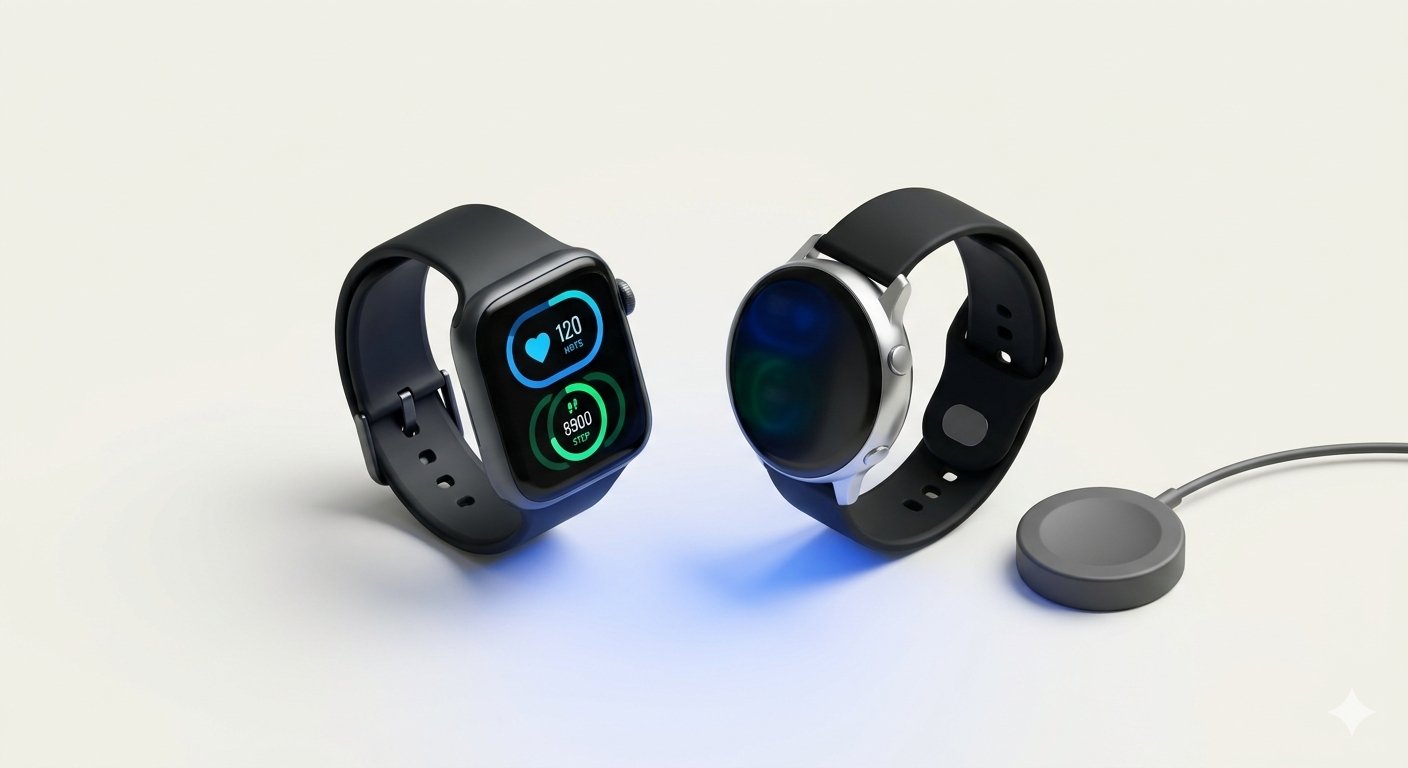
    Smartwatches have evolved from simple notification screens into intelligent health, fitness, and productivity companions on your wrist. Whether you want to track daily steps, monitor heart rate and sleep quality, answer quick phone calls without reaching into your pocket, or record outdoor running routes with built-in GPS, a modern smartwatch simplifies everyday routines effortlessly.

    In 2026, smartwatches offer brighter AMOLED displays, faster processors, improved optical health sensors, and longer battery life across every budget tier. For beginners and everyday buyers, understanding key smartwatch features makes it easy to pick the right model without paying for complicated extras you never use.

    Two Main Types of Smartwatches in 2026

    Before comparing brands, start by choosing between the two main smartwatch categories:

    1. Full-Featured App Smartwatches (Wear OS and watchOS)

    • Examples: Apple Watch Series/SE models, Samsung Galaxy Watch, Google Pixel Watch, and OnePlus Watch.
    • Strengths: Support third-party apps, replying to messages directly from the wrist, contactless NFC payments, offline music downloads, and deep integration with Android or iPhone notifications.
    • Trade-Off: Because they run full operating systems with bright interactive screens, battery life typically lasts 1 to 3 days per charge.

    2. Long-Battery Fitness Smartwatches

    • Examples: Amazfit, Garmin, Huawei, and budget-friendly fitness watches.
    • Strengths: Focus on accurate workout tracking, heart rate monitoring, sleep coaching, and 7 to 14 days of battery life on a single charge.
    • Trade-Off: Fewer third-party apps and simpler notification reply options compared to full app smartwatches.

    5 Essential Features to Check Before Buying a Smartwatch

    1. Display Type and Outdoor Brightness

    Look for an AMOLED display with an Always-On Display (AOD) option. AMOLED screens offer deep blacks, sharp text, and at least 600 to 1,000 nits of brightness so you can read workout stats clearly under bright outdoor sunlight.

    2. Optical Health and Sleep Sensors

    A good smartwatch in 2026 should include:

    • 24/7 Heart Rate Monitoring: Tracks resting heart rate and alerts you to unusually high or low readings.
    • SpO2 (Blood Oxygen) and Stress Tracking: Provides helpful wellness trends during sleep, travel, or high-altitude workouts.
    • Detailed Sleep Stage Analysis: Measures light, deep, and REM sleep cycles alongside practical recovery tips.

    3. Built-In GPS vs. Connected GPS

    • Built-In GPS: Lets runners, walkers, and cyclists map outdoor routes, pace, and distance accurately without carrying a smartphone.
    • Connected GPS: Relies on your phone’s GPS signal via Bluetooth—fine for casual indoor gym workouts, but less convenient for outdoor runners.

    4. Water Resistance Rating (5ATM or IP68)

    If you sweat heavily during workouts or wash hands frequently, pick a smartwatch rated at least IP68 (dust and splash resistant) or 5ATM (safe for swimming in shallow pools and heavy rain). Avoid wearing any smartwatch inside hot showers or steam saunas, as steam can weaken adhesive seals.

    5. Battery Life and Magnetic Fast Charging

    Check realistic battery ratings with Always-On Display turned on. Magnetic fast-charging pucks that top up a day’s worth of battery in 15 to 20 minutes while you shower make daily charging completely painless.

    Practical Tips to Get the Most Out of Your Smartwatch

    1. Adjust Strap Fit Properly: Wear the watch snug—about one finger width above your wrist bone—during workouts so the optical heart rate sensor reads accurately without sliding around.
    2. Customize Notifications: Turn off noisy promotional app alerts on your watch and allow only calls, messages, calendar reminders, and banking alerts so your wrist stays distraction-free.
    3. Clean the Watch and Strap Weekly: Wipe the back sensor glass and silicone strap gently with a soft damp cloth to prevent skin irritation from dried sweat.

    Frequently Asked Questions (FAQs)

    1. Can an Apple Watch work with an Android phone, or a Galaxy Watch with an iPhone?

    No. Apple Watch requires an iPhone, and most modern Wear OS smartwatches (like Samsung Galaxy Watch and Google Pixel Watch) work only with Android phones. If you switch between Android and iOS often, choose cross-platform fitness smartwatches from brands like Amazfit or Garmin.

    2. Do I need an LTE cellular smartwatch or is Bluetooth/Wi-Fi enough?

    For 90% of users, a standard Bluetooth/Wi-Fi smartwatch is plenty because your smartphone is usually nearby. Choose an LTE cellular model only if you regularly go running or swimming without your phone and still need emergency calls.

    3. Are budget smartwatches accurate for step counting and heart rate?

    Budget smartwatches provide good daily trends for step goals and basic workouts, while mid-range and flagship models offer noticeably better sensor accuracy during high-intensity exercise and sleep tracking.

    4. How long does a smartwatch battery typically last before needing replacement?

    With normal daily charging habits, a smartwatch battery comfortably lasts 3 to 4 years before showing noticeable capacity decline.

    5. Is it safe to wear a smartwatch while sleeping every night?

    Yes, modern smartwatches use ultra-low-power Bluetooth and safe optical LED sensors. Wearing a lightweight watch with a breathable silicone or fabric band at night unlocks valuable sleep quality and resting heart rate insights.

    Conclusion

    A great smartwatch bridges the gap between everyday convenience and proactive personal fitness. By choosing a model with a bright AMOLED display, reliable health sensors, 5ATM water resistance, and battery life that fits your routine, you can get lasting value from wearable tech in 2026.

  • Gadget Buying Guides 2026: How to Compare Tech Specs, Spot Real Value, and Avoid Overpaying

    Gadget Buying Guides 2026: How to Compare Tech Specs, Spot Real Value, and Avoid Overpaying

    Buying new electronics should feel exciting, yet many shoppers end up confused by flashy advertisements, complicated model numbers, and inflated specification claims. Whether you are shopping for a smartphone, laptop, smartwatch, wireless earbuds, or smart home device, following a structured buying framework ensures you spend your money on features that genuinely improve your daily life.

    In 2026, technology moves faster than ever, and even budget gadgets pack impressive capabilities. Learning how to evaluate real-world performance, long-term software support, battery durability, and warranty coverage helps everyday buyers make confident, regret-free tech purchases.

    Step 1: Define Your Real Daily Use Case Before Checking Prices

    The biggest mistake gadget buyers make is paying extra for professional-grade specs they will never use—or buying an underpowered device to save a small amount upfront.

    Ask Three Simple Questions First

    • What is my primary goal? For example, a college student needs battery life, comfortable typing, and portability, whereas a video editor needs high RAM and dedicated graphics.
    • Where will I use this gadget most? Outdoor commuters need bright screens and water resistance, while home office users benefit from ergonomic comfort and multi-device connectivity.
    • How many years do I plan to keep it? Devices meant to last 4 to 5 years deserve slightly higher RAM, storage, and guaranteed software update support.

    Step 2: Look Past Marketing Buzzwords to Core Hardware Specs

    Manufacturers often highlight huge numbers on product boxes that do not always translate to better real-world performance:

    • Cameras (Megapixels vs. Sensor Quality): A 50MP camera with a larger sensor and Optical Image Stabilization (OIS) consistently outperforms a 108MP camera with a small sensor and no stabilization, especially indoors and at night.
    • Audio (Driver Size vs. Tuning and Codecs): Larger speaker drivers do not automatically mean better sound. Look for balanced audio tuning, multipoint Bluetooth, and clear call microphones.
    • Charging Speeds (Peak Wattage vs. Battery Longevity): Extremely high charging speeds are convenient, but look for certified USB-PD / PPS chargers with thermal protection to keep battery health strong over time.
    • Processors (Core Count vs. Generation): A newer-generation 6-core or 8-core processor is usually faster and much more power-efficient than an older processor with more cores.

    Step 3: Check Long-Term Software Updates and App Reliability

    In 2026, hardware is only half of any smart gadget. A great smartwatch, smartphone, or security camera can become frustrating if its companion app crashes or stops receiving security updates.

    1. Operating System and Security Patch Policy: For smartphones and tablets, look for brands promising at least 3 to 5 years of security updates.
    2. Companion App Ratings: Before buying smart home plugs, fitness bands, or earbuds, check the app’s recent reviews on the Google Play Store or Apple App Store to ensure stable Bluetooth syncing and no forced monthly paywalls for basic features.
    3. Open Standards Compatibility: Prefer gadgets supporting universal standards like USB-C, Qi2 wireless charging, and Matter for smart home devices so you are never locked into expensive proprietary accessories.

    Step 4: Read Verified User Reviews and Long-Term Tests

    Launch-day promotional videos often show gadgets in ideal studio conditions. Before clicking “Buy Now,” spend ten minutes checking real user feedback:

    • Filter by Verified Purchases: Look for patterns in 3-star and 4-star reviews—these usually give the most honest picture of minor flaws such as average microphone quality, glossy screen reflections, or tight ear-tip fit.
    • Check After-Sales Service and Warranty Terms: Confirm whether the brand has authorized service centers in your city and check what is covered under standard warranty versus accidental damage.

    Step 5: Time Your Purchase to Get Genuine Discounts

    1. Compare Historical Prices: Major online sales sometimes raise base prices right before offering a “discount.” Keep track of normal selling prices a couple of weeks ahead of festive sales.
    2. Consider Last Year’s Flagship Models: When a brand releases a new annual model, the previous year’s version often drops significantly in price while still offering 90% of the same speed, camera quality, and multi-year software support.
    3. Check Bank Offers and Exchange Value: Trading in an old working phone or laptop through official exchange programs can safely reduce upfront costs.

    Common Gadget Buying Mistakes to Avoid

    • Buying the Lowest Storage Tier: Base 64GB phones or 256GB laptops fill up quickly with system updates and high-resolution media—choose at least 128GB/256GB for phones and 512GB SSD for laptops.
    • Ignoring Return and Replacement Windows: Always record a quick unboxing video when receiving expensive electronics online and test charging ports, buttons, speakers, and displays within the replacement window.
    • Falling for Unbranded Ultra-Cheap Chargers or Power Banks: Saving a few hundred rupees on uncertified power accessories risks permanent battery damage.

    Frequently Asked Questions (FAQs)

    1. How do I know if a gadget offers good value for money?

    A good-value gadget balances core performance (processor, RAM, battery life, and display or build quality) with multi-year software updates and reliable warranty support at a fair mid-range price rather than relying on one flashy gimmick.

    2. Is it better to buy a newly launched gadget or a 6-month-old model?

    A 6-to-12-month-old model is often the smartest buy because early software bugs have already been fixed through updates and prices are usually discounted compared to launch week.

    3. Why is USB-C compatibility important when buying new gadgets?

    USB-C is the universal charging and data standard across modern phones, laptops, earbuds, and power banks, allowing you to travel with a single charger and cable for all your devices.

    4. What should I check immediately after unboxing a new electronic device?

    Inspect the physical body for scratches, verify the serial number on the brand’s official warranty website, test the screen for dead pixels, and check charging, Wi-Fi, Bluetooth, speakers, and microphones right away.

    5. How can I avoid impulse buying tech gadgets online?

    Use a 48-hour waiting rule—add the gadget to your wishlist, read two independent reviews, verify whether you already own a device that does the same job, and buy only if the need still feels clear after two days.

    Conclusion

    Smart gadget shopping is not about chasing the highest numbers on a spec sheet—it is about choosing reliable, well-supported devices tailored to your real daily routine. By evaluating core hardware specs, software update commitments, universal standards like USB-C, and verified user reviews, you can buy technology in 2026 with complete confidence.

  • Best Tech Accessories 2026: Must-Have Chargers, Power Banks, USB-C Hubs, and Desk Essentials

    Best Tech Accessories 2026: Must-Have Chargers, Power Banks, USB-C Hubs, and Desk Essentials

    Modern smartphones, laptops, and tablets are sleeker and more powerful than ever, yet they rely heavily on the right accessories to unlock their full potential. Because many flagship phones no longer include charging bricks in the box and ultra-thin laptops come with only two or three USB-C ports, choosing reliable everyday tech accessories has become essential for students, remote workers, and travelers.

    In 2026, smart accessories are faster, safer, and far more compact than older cables and adapters. Understanding which accessories genuinely protect your devices and improve daily convenience helps you avoid cheap, unsafe knockoffs and build a clean, dependable tech kit.

    Top Must-Have Tech Accessories for Smartphones and Laptops in 2026

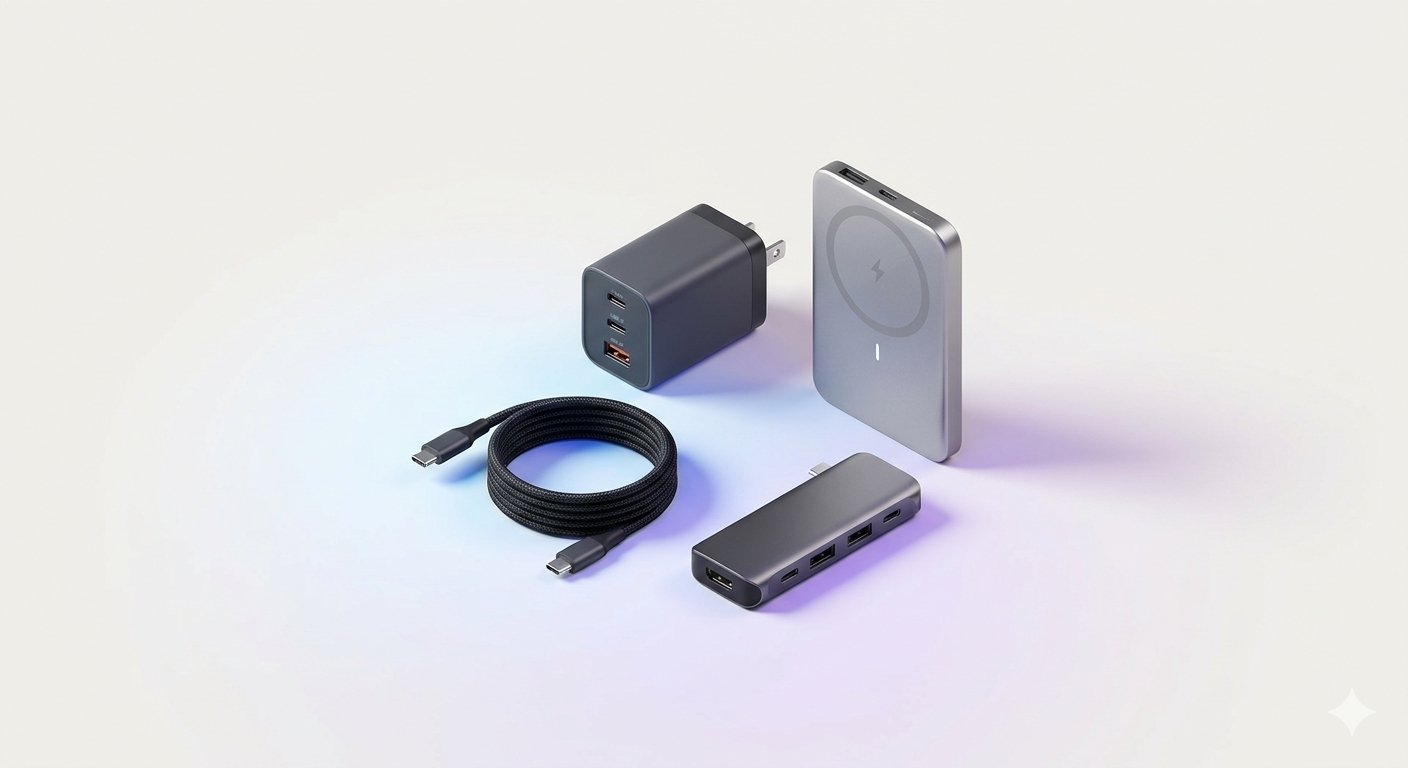
    1. Multi-Port GaN (Gallium Nitride) Fast Chargers

    Traditional silicon chargers are bulky and heat up quickly when charging high-wattage devices. Modern GaN chargers use Gallium Nitride semiconductors that run cooler and pack high power into a palm-sized adapter.

    • Why It Matters: A single 65W or 100W GaN charger with two USB-C ports and one USB-A port can charge your laptop, smartphone, and wireless earbuds simultaneously from one wall outlet—eliminating the need to carry three separate chargers while traveling.

    2. Magnetic Wireless Power Banks (Qi2 / MagSafe Compatible)

    Portable power banks have evolved beyond heavy bricks with dangling cables. Slim magnetic wireless power banks snap securely onto the back of compatible phones (or phones with a magnetic case) and deliver steady wireless charging in your hand or pocket.

    • Key Buying Tip: Look for 10,000mAh capacity, Qi2 wireless certification, and a built-in USB-C port for faster wired charging whenever you are in a hurry.

    3. Braided USB-C to USB-C Fast Charging Cables

    Flimsy plastic charging cables often fray near the connector within a few months. Investing in nylon-braided USB-C cables rated for 60W or 100W Power Delivery (PD) ensures durability and safe charging speeds.

    • Practical Tip: Keep a 1-meter braided cable in your backpack for travel and a longer 2-meter cable beside your bed or desk so you never strain the charging port while using your device.

    4. Multi-Port USB-C Hubs and Docking Adapters

    Slim ultrabooks and tablets sacrifice traditional ports to stay lightweight. A compact aluminum 6-in-1 or 7-in-1 USB-C hub restores all the connections you need at home or in the office:

    • Essential Ports to Look For: 4K HDMI output for external monitors or projectors, two USB-A 3.0 ports for flash drives and wireless mice, an SD/microSD card reader for cameras, and 100W USB-C Pass-Through Charging so your laptop charges through the hub itself.

    5. Laptop Stands and Ergonomic Desk Accessories

    Working on a laptop placed flat on a table forces your neck downward, leading to shoulder and back strain over long hours.

    • Simple Desk Upgrades: A foldable aluminum laptop stand raises your screen to eye level, while pairing it with a compact wireless keyboard and ergonomic mouse improves posture and typing speed significantly.

    6. Portable SSDs and Encrypted USB Flash Drives

    While cloud storage is convenient, carrying a pocket-sized Portable NVMe SSD (500GB or 1TB) allows you to transfer large 4K video files, photo libraries, and offline backups in seconds without needing an internet connection.

    How to Spot Safe vs. Unsafe Charging Accessories

    Using cheap, uncertified chargers or cables can damage your phone’s battery or cause overheating. Always verify these safety details before buying:

    1. Check Official Safety Certifications: Look for genuine BIS (in India), UL, CE, or FCC safety marks printed clearly on the charger body.
    2. Look for USB-PD and PPS Support: USB Power Delivery (PD) and Programmable Power Supply (PPS) allow the charger and phone to communicate dynamically, adjusting voltage and current to prevent battery overheating.
    3. Avoid Overly Cheap Magnetic Mounts or Cables: Poorly shielded accessories can interfere with wireless charging coils or deliver unstable voltage spikes.

    Simple Care Tips to Make Your Tech Accessories Last Longer

    • Coil Cables Loosely: Never wrap charging cables tightly around a power brick at sharp angles; loop them gently in wide circles to protect internal copper wires.
    • Keep Ports Free of Dust: Store USB-C hubs and flash drives in a small tech pouch inside your backpack so lint and crumbs do not clog the connectors.
    • Unplug Chargers During Severe Power Surges: Using a surge-protected extension board protects expensive GaN chargers and laptops from sudden voltage fluctuations.

    Frequently Asked Questions (FAQs)

    1. Is a 65W GaN charger safe to use with a smartphone that supports only 25W or 30W charging?

    Yes. Modern USB-C PD chargers and smartphones communicate automatically—your phone only draws the exact wattage it safely supports, so a 65W charger will not damage a smaller device.

    2. What is the difference between a regular power bank and a Qi2 magnetic power bank?

    A regular power bank requires a cable to charge your phone, whereas a Qi2 magnetic power bank attaches magnetically to the back of compatible phones for cable-free charging while also offering a USB-C port for wired fast charging.

    3. Why does my USB-C hub feel slightly warm during use?

    Mild warmth is normal when a USB-C hub is transferring data, outputting 4K HDMI video, and passing 65W–100W charging power to a laptop simultaneously; aluminum shells are designed to dissipate this heat safely.

    4. How many times can a 10,000mAh power bank charge a modern smartphone?

    Accounting for normal energy conversion loss, a healthy 10,000mAh power bank typically charges a standard 5,000mAh smartphone about 1.5 to 1.7 times.

    5. Which accessories are most essential for college students?

    A 65W multi-port GaN charger, two durable braided USB-C cables, a 10,000mAh power bank, a foldable laptop stand, and a compact USB-C hub cover almost every daily study and travel need.

    Conclusion

    The right tech accessories turn everyday smartphones and laptops into far more versatile, reliable tools. By investing in certified GaN chargers, braided USB-C cables, a multi-port USB-C hub, and ergonomic desk essentials, you can protect your devices’ battery health, eliminate cable clutter, and stay productive anywhere in 2026.

  • Smart Home Devices for Beginners 2026: Best Smart Plugs, Lights, Speakers, and Security Gadgets

    Smart Home Devices for Beginners 2026: Best Smart Plugs, Lights, Speakers, and Security Gadgets

    Smart home devices have transformed ordinary houses and apartments into comfortable, energy-efficient, and secure living spaces. You no longer need expensive custom wiring or professional technicians to automate your home—in 2026, affordable plug-and-play smart gadgets connect directly to your existing Wi-Fi router and smartphone in minutes.

    From scheduling bedroom lights and turning off forgotten appliances remotely to checking live security camera feeds while traveling, smart home technology brings practical convenience to everyday households. For beginners, understanding which smart devices offer the best real-world value makes building a connected home simple and budget-friendly.

    What Are Smart Home Devices and How Do They Work?

    Smart home devices are everyday household electronics equipped with Wi-Fi, Bluetooth, Thread, or Zigbee wireless chips. Once paired with a mobile app or voice assistant—such as Amazon Alexa, Google Assistant, or Apple Home—these devices can be controlled remotely from your phone, triggered by voice commands, or set to run automatically on schedules.

    The Rise of the “Matter” Smart Home Standard

    In 2026, most modern smart home gadgets support Matter, a universal smart home connectivity standard. Matter ensures that smart bulbs, plugs, and sensors from different brands work together seamlessly across Android, iOS, Alexa, and Google Home without requiring multiple separate hub boxes.

    Top Must-Have Smart Home Devices for Beginners

    1. Smart Wi-Fi Plugs

    Smart plugs are the easiest and most affordable starting point for any smart home. Simply plug a smart plug into a standard wall socket and connect a table lamp, pedestal fan, mosquito repellent, or coffee maker into it.

    • Practical Uses: Turn appliances on or off from anywhere via your phone, set automatic bedtime shutoff timers, and monitor real-time electricity consumption to lower monthly power bills.

    2. Smart LED Bulbs and Light Strips

    Smart LED bulbs screw into regular light sockets while offering full brightness dimming, millions of color options, and adjustable warm-to-cool white tones.

    • Practical Uses: Use bright cool-white light while studying or working during the day, switch to warm amber lighting in the evening to relax your eyes, and schedule porch lights to turn on automatically at sunset.

    3. Smart Speakers and Smart Displays

    A compact smart speaker acts as the voice-controlled center of your room. Instead of reaching for your phone, you can use hands-free voice commands to play music, set cooking timers, check weather forecasts, or control all your smart lights and plugs at once.

    4. Indoor Wi-Fi Security Cameras and Video Doorbells

    Compact indoor security cameras and smart video doorbells give families peace of mind when away from home.

    • Practical Uses: Receive instant smartphone alerts when motion or a person is detected, view crisp night-vision video feeds, talk through two-way audio, and store clips securely on a local microSD card or encrypted cloud storage.

    5. Smart IR Remote Controllers

    If you already own a regular air conditioner, television, or set-top box, a universal Smart IR Blaster replaces all your physical remotes. It connects to Wi-Fi and lets you turn on your AC 15 minutes before reaching home using your smartphone.

    Practical Step-by-Step Guide to Setting Up Your First Smart Home

    1. Start Small with Two or Three Devices: Begin with a couple of smart plugs and smart bulbs in your bedroom or living room rather than buying dozens of gadgets at once.
    2. Check Your Wi-Fi Coverage: Most smart home gadgets connect to the 2.4GHz Wi-Fi band because it travels farther through walls than 5GHz. Make sure your router signal reaches every room where you place devices.
    3. Create Useful Routines: Group actions together—for example, a “Good Night” routine that turns off all living room lights, switches off the TV smart plug, and activates your indoor security camera with one tap.

    Essential Smart Home Privacy and Security Tips

    Because smart home devices connect to your personal Wi-Fi network, keeping them secure is essential:

    • Use a Strong Wi-Fi Password: Protect your home router with WPA2 or WPA3 encryption and change the default router admin login.
    • Enable Two-Factor Authentication (2FA): Always turn on 2FA on your smart home mobile app accounts so unauthorized users cannot access your camera feeds.
    • Install Firmware Updates: Enable automatic updates inside companion apps so manufacturers can patch security vulnerabilities promptly.
    • Use Physical Camera Privacy Shutters: Many modern indoor cameras include a motorized lens cover or physical shutter that closes automatically whenever you are home.

    Frequently Asked Questions (FAQs)

    1. Do smart home devices work if the internet goes down temporarily?

    Most smart plugs and bulbs can still be turned on and off manually using physical buttons or wall switches, and devices supporting local Matter or Thread control continue working over your home Wi-Fi network even without external internet.

    2. Do smart plugs consume a lot of electricity when turned off?

    No. A smart plug uses less than 1 watt of standby power—costing only a tiny amount over an entire year while helping you save much more electricity by preventing appliances from staying on unnecessarily.

    3. Why do most smart home gadgets require 2.4GHz Wi-Fi instead of 5GHz?

    The 2.4GHz frequency penetrates walls and doors much better than 5GHz and requires less battery power, making it ideal for smart bulbs, plugs, and sensors placed across different rooms.

    4. Is a separate smart home hub required in 2026?

    No. Most Wi-Fi and Matter-compatible smart plugs, bulbs, and cameras connect directly to your standard home Wi-Fi router and smartphone without needing an extra hub.

    5. How can I make sure my indoor smart security camera stays private?

    Choose reputable brands with end-to-end encryption, enable two-factor authentication on your account, place cameras only in common areas like entryways or living rooms, and use privacy mode when family members are home.

    Conclusion

    Smart home devices make everyday living noticeably more comfortable, energy-efficient, and secure without requiring complicated installation. By starting with simple essentials like smart plugs, smart LED bulbs, and a reliable security camera, beginners can build a practical connected home step by step in 2026.

  • Earbuds & Headphones Buying Guide 2026: ANC, Sound Quality, Battery Life, and Comfort Explained

    Earbuds & Headphones Buying Guide 2026: ANC, Sound Quality, Battery Life, and Comfort Explained

    Wireless earbuds and headphones have become essential everyday gadgets for students, remote workers, commuters, and music lovers. Whether you are attending online classes, taking office calls in a noisy room, working out at the gym, or relaxing with podcasts, choosing the right pair of wireless earphones makes a huge difference in comfort and sound clarity.

    In 2026, modern audio gadgets combine Active Noise Cancellation (ANC), multi-device Bluetooth connectivity, crisp call microphones, and fast USB-C charging at affordable prices. For beginners and everyday buyers, understanding key audio specifications makes it easy to pick the right pair without overpaying for unnecessary buzzwords.

    True Wireless Earbuds vs. Over-Ear Headphones: Which Should You Choose?

    Both earbuds and over-ear headphones connect wirelessly to smartphones and laptops, but each design suits different daily habits:

    1. True Wireless Earbuds (TWS)

    • Pocket-Sized Portability: Small enough to slip into any jeans pocket or small pouch along with their compact charging case.
    • Ideal for Workouts and Commuting: Lightweight silicone ear tips stay secure during walking, running, and daily travel.
    • Discreet Everyday Wear: Comfortable for quick phone calls and casual listening throughout the day.

    2. Over-Ear Wireless Headphones

    • Superior Noise Isolation and Soundstage: Cushioned ear cups surround your ears completely, blocking outside chatter naturally while delivering deeper bass and richer audio detail.
    • Longer Single-Charge Battery Life: Larger internal batteries often provide 30 to 50 hours of playback on a single charge.
    • Better for Long Desk Sessions: Avoids ear canal fatigue during 4-to-6-hour study or office work sessions.

    Key Features to Check Before Buying Earbuds or Headphones

    1. Active Noise Cancellation (ANC) and Transparency Mode

    Active Noise Cancellation uses tiny built-in microphones to detect constant background sounds—such as ceiling fans, air conditioners, train engines, or street traffic—and cancels them out electronically. Transparency Mode does the opposite, letting outside voices pass through safely when you need to talk to someone or cross a busy road.

    2. Call Quality and Environmental Noise Cancellation (ENC)

    Good music quality does not automatically guarantee clear voice calls. Look for earbuds or headphones featuring multiple microphones with AI Environmental Noise Cancellation (ENC) so the person on the other end hears your voice clearly instead of wind or background traffic.

    3. Bluetooth Version and Multipoint Connectivity

    Choose audio gadgets with Bluetooth 5.3 or Bluetooth 5.4 for stable connections and lower battery drain. Multipoint pairing is a major convenience feature that lets your headphones stay connected to both your laptop and smartphone simultaneously—automatically switching when a phone call arrives while you are watching a lecture on your laptop.

    4. Water and Sweat Resistance (IP Rating)

    If you plan to wear earbuds outdoors or during exercise, check for an IPX4 or IPX5 water-resistance rating to protect against sweat and light rain. (Note that most over-ear headphones are not water-resistant.)

    5. Battery Life and Fast Charging

    For true wireless earbuds, look for at least 6 to 8 hours of playback on the earbuds themselves and 24 to 30 hours total with the charging case. Fast charging that gives 2 hours of playback from a 10-minute charge is also very helpful for busy mornings.

    Ear Health and Safe Listening Habits

    Protecting your hearing is just as important as choosing great sound quality:

    • Follow the 60/60 Rule: Keep volume at or below 60% of maximum and take a short 5-minute break after every 60 minutes of continuous listening.
    • Clean Ear Tips Weekly: Wipe silicone ear tips gently with a dry or slightly damp cloth to remove earwax and dust, which keeps sound clear and prevents ear irritation.
    • Choose Proper Ear Tip Sizes: Using the right silicone tip size improves both comfort and passive noise blocking so you do not need to turn the volume up high.

    Frequently Asked Questions (FAQs)

    1. What is the difference between ANC and ENC in earbuds?

    ANC (Active Noise Cancellation) blocks outside background noise so you can hear your music or video clearly, whereas ENC (Environmental Noise Cancellation) filters background noise from your microphone so people hear your voice clearly during phone calls.

    2. Are wireless earbuds safe to wear for several hours every day?

    Yes, wireless earbuds use ultra-low-power Bluetooth signals that are completely safe, provided you keep volume levels moderate and give your ears periodic breaks.

    3. Why do wireless earbuds sometimes have audio delay during gaming?

    Standard Bluetooth audio has a slight transmission delay; look for earbuds with a dedicated Low-Latency Gaming Mode if you play fast-paced mobile games.

    4. How long do true wireless earbuds usually last before the battery weakens?

    With normal daily use and proper charging habits, good quality wireless earbuds typically last 2 to 3 years.

    5. Can I use one earbud at a time while charging the other?

    Yes, almost all modern true wireless earbuds support single-earbud (mono) mode, allowing you to use either the left or right earbud independently for calls or podcasts.

    Conclusion

    Choosing the right earbuds or headphones comes down to matching the design with your daily routine—compact wireless earbuds for travel and workouts, or cushioned over-ear headphones for long study and office hours. By focusing on comfortable fit, clear call microphones, multipoint Bluetooth, and reliable battery life, you can enjoy great audio every day in 2026.

  • Best Laptops & Computers Guide 2026: How to Pick the Right PC for Study, Office, and Creators

    Best Laptops & Computers Guide 2026: How to Pick the Right PC for Study, Office, and Creators

    Buying a new laptop or desktop computer is one of the most important tech investments for students, remote workers, and digital creators. Unlike smartphones that are replaced every two or three years, a well-chosen laptop or computer can easily serve you reliably for four to six years.

    In 2026, laptops have become thinner, quieter, and far better on battery life, while compact mini PCs and traditional desktops deliver tremendous speed for heavy workloads. Understanding what hardware specifications actually matter helps you avoid overpaying for flashy marketing while getting smooth everyday performance.

    Ultrabook Laptops vs. Gaming Laptops vs. Desktop PCs

    Before comparing processor numbers, start by matching the computer type to your daily lifestyle:

    1. Thin-and-Light Ultrabook Laptops

    • Best For: College students, writers, office professionals, and frequent travelers.
    • Key Strengths: Lightweight (usually 1.1 kg to 1.5 kg), quiet fan operation, bright anti-glare screens, and 8 to 14 hours of real-world battery life.

    2. Performance and Gaming Laptops

    • Best For: Video editors, 3D designers, software developers, and PC gamers.
    • Key Strengths: High-wattage processors, dedicated graphics cards (GPUs), high-refresh-rate displays (144Hz or higher), and dual-fan cooling systems.
    • Trade-Off: Heavier to carry in a backpack and shorter battery life when unplugged.

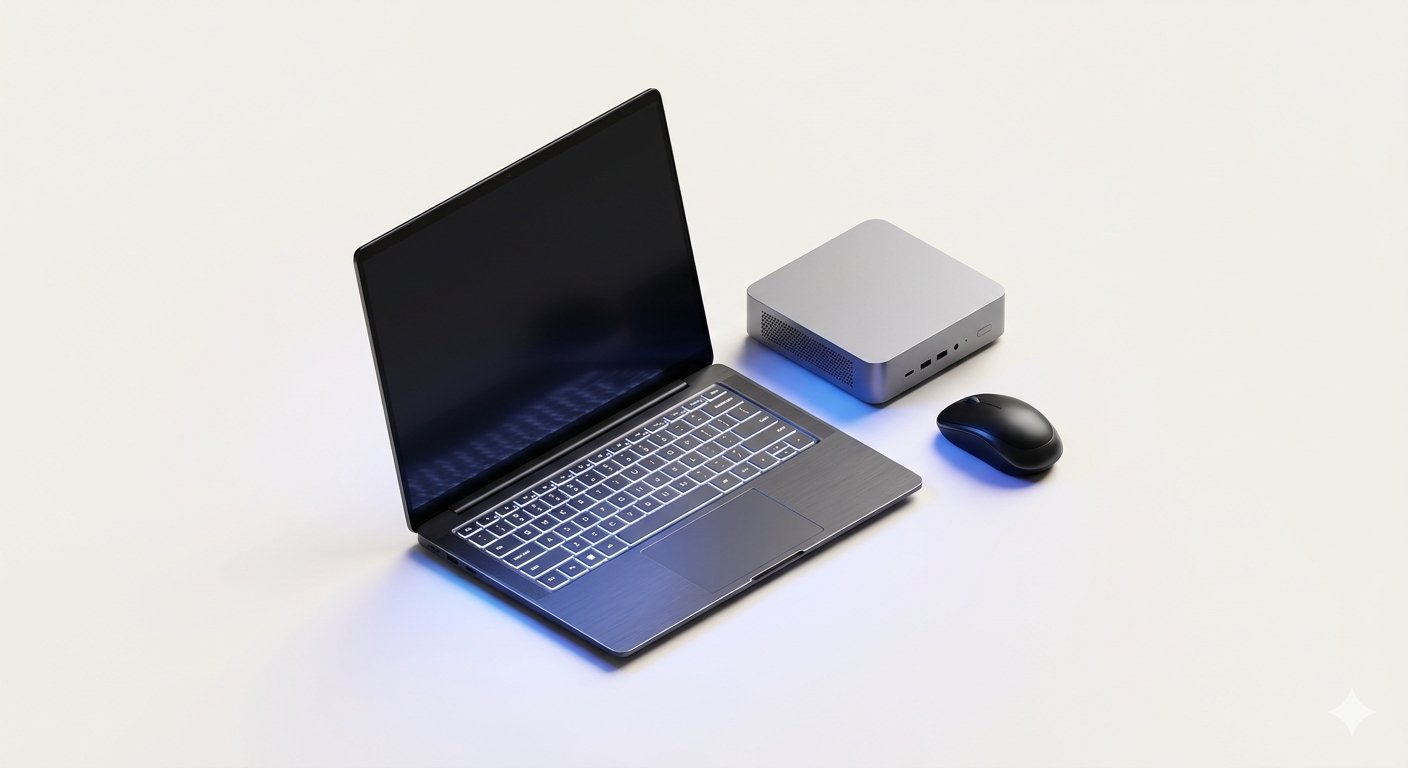
    3. Desktop Computers and Compact Mini PCs

    • Best For: Home offices, dedicated study desks, and heavy creative studios.
    • Key Strengths: Better cooling, lower cost for the same raw speed, larger external monitor options, and easy RAM or storage upgrades later on.

    Essential Specs Checklist for Buying a Computer in 2026

    1. Processor (CPU)

    Choose a modern multi-core processor from the latest or previous generation (such as Intel Core Ultra, AMD Ryzen 7000/8000/AI series, or Apple M-series chips). Avoid very old entry-level processors if you plan to keep the computer for several years.

    2. Memory (RAM)

    • 8GB RAM: Acceptable only for basic web browsing, online classes, and document typing on a tight budget.
    • 16GB RAM: The recommended standard in 2026 for smooth multitasking across dozens of browser tabs, video calls, and photo editing apps.
    • 32GB RAM: Ideal for 4K video editing, virtual machines, and heavy software development.

    3. Storage (NVMe SSD)

    Never buy a computer with a slow mechanical hard drive (HDD) as its main drive. Look for at least a 512GB PCIe NVMe SSD (or 1TB SSD if you store large video projects or games) so Windows or macOS boots in under 10 seconds.

    4. Display Quality and Eye Comfort

    • Resolution: Full HD (1920×1080) or 2K/2.8K resolution ensures crisp text while reading or coding.
    • Panel Type: IPS or OLED displays offer much better viewing angles and color accuracy than cheap TN panels.
    • Brightness: Look for at least 300 to 400 nits of brightness for comfortable indoor and near-window use.

    5. Keyboard, Trackpad, and Ports

    If you type daily, test or check reviews for key travel comfort and backlighting. Make sure the laptop includes USB-C charging, at least one or two USB-A ports for flash drives, an HDMI port for external monitors or projectors, and Wi-Fi 6/6E or Wi-Fi 7.

    Practical Tips to Keep Your Laptop Running Like New

    1. Use a Hard-Shell Sleeve When Traveling: Protects the screen and hinges from pressure inside crowded backpacks.
    2. Never Block Bottom Air Vents: Avoid placing laptops directly on soft beds or pillows during heavy tasks, as trapped heat reduces battery health and processor speed.
    3. Keep Operating System and Drivers Updated: Regular Windows, macOS, or Linux updates improve battery optimization and patch security flaws.
    4. Back Up Important Folders to the Cloud: Sync your Desktop and Documents folders automatically so your files stay safe even if hardware is damaged.

    Frequently Asked Questions (FAQs)

    1. How much should a good student or office laptop cost in 2026?

    A reliable mid-range laptop with 16GB RAM, a 512GB NVMe SSD, and a Full HD IPS display typically offers the best balance of price and durability for students and office workers.

    2. Is 16GB RAM really necessary for normal office and study work?

    Yes. Modern web browsers, video conferencing apps, and operating systems use significantly more memory than they did a few years ago, making 16GB RAM essential for lag-free multitasking over the next 4 to 5 years.

    3. Are mini desktop PCs good for home and office use?

    Yes, modern mini PCs pack full laptop-grade processors, 16GB+ RAM, and fast SSDs into a tiny palm-sized box that saves desk space and consumes very little electricity.

    4. Should I buy a touchscreen laptop or a standard non-touch laptop?

    Choose a standard non-touch anti-glare laptop if you mainly type and browse, as it costs less, reduces screen reflections, and saves battery life. Pick a touchscreen 2-in-1 only if you actively take handwritten notes or sketch with a stylus.

    5. How can I check if a laptop’s battery is still healthy?

    Both Windows (using the built-in powercfg /batteryreport command) and macOS (inside System Settings > Battery Health) allow you to check maximum charge capacity and cycle count easily.

    Conclusion

    Choosing the right laptop or computer in 2026 becomes straightforward when you focus on real-world essentials: a modern multi-core CPU, 16GB of RAM, a 512GB NVMe SSD, a comfortable IPS or OLED display, and reliable battery life. By matching the machine to your daily workload and practicing simple maintenance habits, you can enjoy fast, dependable computing for years.

  • Best Smartphones Guide 2026: How to Choose the Right Phone for Camera, Battery, and Performance

    Best Smartphones Guide 2026: How to Choose the Right Phone for Camera, Battery, and Performance

    Choosing a new smartphone can feel confusing with dozens of models launching every year, each promising ultra-high camera megapixels, fast processors, and all-day battery life. For everyday buyers, students, and working professionals, looking past marketing hype and focusing on practical hardware features makes it much easier to find a phone that stays fast and reliable for years.

    In 2026, even budget and mid-range smartphones offer bright AMOLED displays, 5G connectivity, capable cameras, and fast charging. Understanding the core specifications helps you spend your money wisely on features you actually use every day.

    5 Core Features That Actually Matter When Buying a Smartphone

    1. Display Quality and Brightness

    Since you look at your phone screen for hours every day, display quality directly affects comfort:

    • AMOLED or OLED Panels: Deliver deeper blacks, richer colors, and better battery efficiency compared to older LCD screens.
    • 120Hz Adaptive Refresh Rate: Makes scrolling through websites, social feeds, and documents feel noticeably smoother.
    • Outdoor Peak Brightness: Look for at least 1,000 to 1,500 nits of brightness so text remains easy to read under bright afternoon sunlight.

    2. Processor Speed and RAM for Smooth Multitasking

    The processor determines how quickly apps open, how smoothly games run, and how well your phone handles AI photo editing:

    • Everyday Browsing and Study: A modern mid-range octa-core processor paired with 8GB of RAM handles calls, videos, and multitasking effortlessly.
    • Heavy Gaming and Video Editing: Flagship processors with 12GB or 16GB of RAM ensure lag-free performance and better long-term speed.

    3. Camera Sensor Quality Over Megapixel Numbers

    A 50-megapixel camera with a large sensor and Optical Image Stabilization (OIS) captures much sharper, brighter photos than a 108-megapixel camera with a tiny sensor and no stabilization.

    • Check Low-Light Performance: OIS reduces hand shake during night photos and stabilizes handheld video recording.
    • Useful Secondary Lenses: An ultra-wide lens for landscapes and group shots is generally more practical than low-resolution macro lenses.

    4. Battery Capacity and Safe Fast Charging

    • 5,000mAh or Larger Battery: Easily powers a full day of 5G browsing, video streaming, and navigation.
    • 33W to 80W Fast Charging: Refills your phone from 20% to 80% in roughly 25 to 35 minutes without excessive heat buildup.

    5. Software Updates and Build Durability

    A good smartphone should last at least 3 to 4 years. Check how many years of Android OS updates and security patches the brand promises, and look for IP65, IP67, or IP68 dust and water resistance to protect against accidental splashes.

    Budget vs. Mid-Range vs. Flagship Smartphones: Which Fits You?

    1. Budget Smartphones (Under ₹15,000 / $180): Best for students, seniors, and basic daily users who need reliable calling, WhatsApp, YouTube, UPI payments, and long battery life.
    2. Mid-Range Smartphones (₹20,000–₹35,000 / $250–$450): Offer the best overall value—combining bright 120Hz AMOLED screens, OIS cameras, fast processors, and multi-year software support.
    3. Flagship Smartphones (₹50,000+ / $700+): Built for photography enthusiasts, mobile creators, and power users who want top-tier telephoto zoom cameras, wireless charging, and premium glass-and-metal designs.

    Smart Habits to Keep Your New Smartphone Healthy

    • Use a Quality Tempered Glass and Protective Case: Prevents costly screen repairs from accidental drops.
    • Avoid Cheap Uncertified Chargers: Always use the official charger or a certified USB-PD / PPS adapter to protect battery health.
    • Keep 15% to 20% Storage Free: Full internal storage slows down app updates and camera processing.

    Frequently Asked Questions (FAQs)

    1. How much storage should I choose when buying a smartphone in 2026?

    Choose at least 128GB of internal storage for everyday use, or 256GB if you record lots of 4K videos, download offline movies, or plan to keep the phone for more than three years.

    2. Does higher camera megapixel count always mean better photos?

    No. Sensor size, lens quality, Optical Image Stabilization (OIS), and image processing software matter far more than high megapixel numbers alone.

    3. Is 8GB RAM enough for a smartphone in 2026?

    Yes, 8GB of RAM is plenty for smooth everyday multitasking, social media, video calls, and casual gaming, while 12GB is ideal for heavy gaming and long-term usage.

    4. Why is IP67 or IP68 rating helpful on a smartphone?

    An IP67 or IP68 rating means the phone is sealed against dust and can survive accidental drops in shallow water or heavy rain without internal damage.

    5. When is the best time of year to buy a new smartphone?

    Major festive sales, back-to-school promotions, and the weeks immediately following a brand’s new flagship launch usually offer the biggest discounts on previous-generation models.

    Conclusion

    The best smartphone is not always the most expensive model on the shelf—it is the one that matches your daily habits, budget, and durability needs. By focusing on a bright AMOLED display, OIS-stabilized camera, 5,000mAh battery, and guaranteed security updates, you can choose a smartphone in 2026 that stays reliable for years.

  • Best Wearable Tech Gadgets in 2026: Smartwatches, Smart Rings, and Health Trackers Explained

    Best Wearable Tech Gadgets in 2026: Smartwatches, Smart Rings, and Health Trackers Explained

    Wearable tech gadgets have quickly become one of the most practical categories in consumer electronics. Instead of sitting on a desk or inside a backpack, wearable devices stay comfortably on your wrist, finger, or ears—quietly tracking your daily movement, sleep quality, heart rate, and notifications without interrupting your routine.

    In 2026, advances in low-power optical sensors, compact batteries, and on-device health algorithms have made smartwatches, smart rings, and fitness bands far more accurate and comfortable than early models. For everyday users and beginners, understanding how wearable gadgets work makes it much easier to choose a device that fits your lifestyle and health goals.

    What Is Wearable Technology?

    Wearable technology refers to lightweight electronic devices designed to be worn directly on the body or integrated into everyday accessories. These gadgets use miniature biometric sensors and Bluetooth connectivity to collect real-time health and activity metrics, syncing them with companion apps on your smartphone.

    Why Wearable Gadgets Are So Popular

    • Hands-Free Convenience: Check incoming calls, calendar reminders, and navigation prompts with a quick glance at your wrist.
    • Continuous Wellness Insights: Track daily steps, resting heart rate, sleep stages, and stress trends automatically around the clock.
    • Long Battery Efficiency: Modern wearable processors consume minimal power, allowing fitness trackers and smart rings to run for 5 to 10 days on a single charge.

    Top Types of Wearable Tech Gadgets in 2026

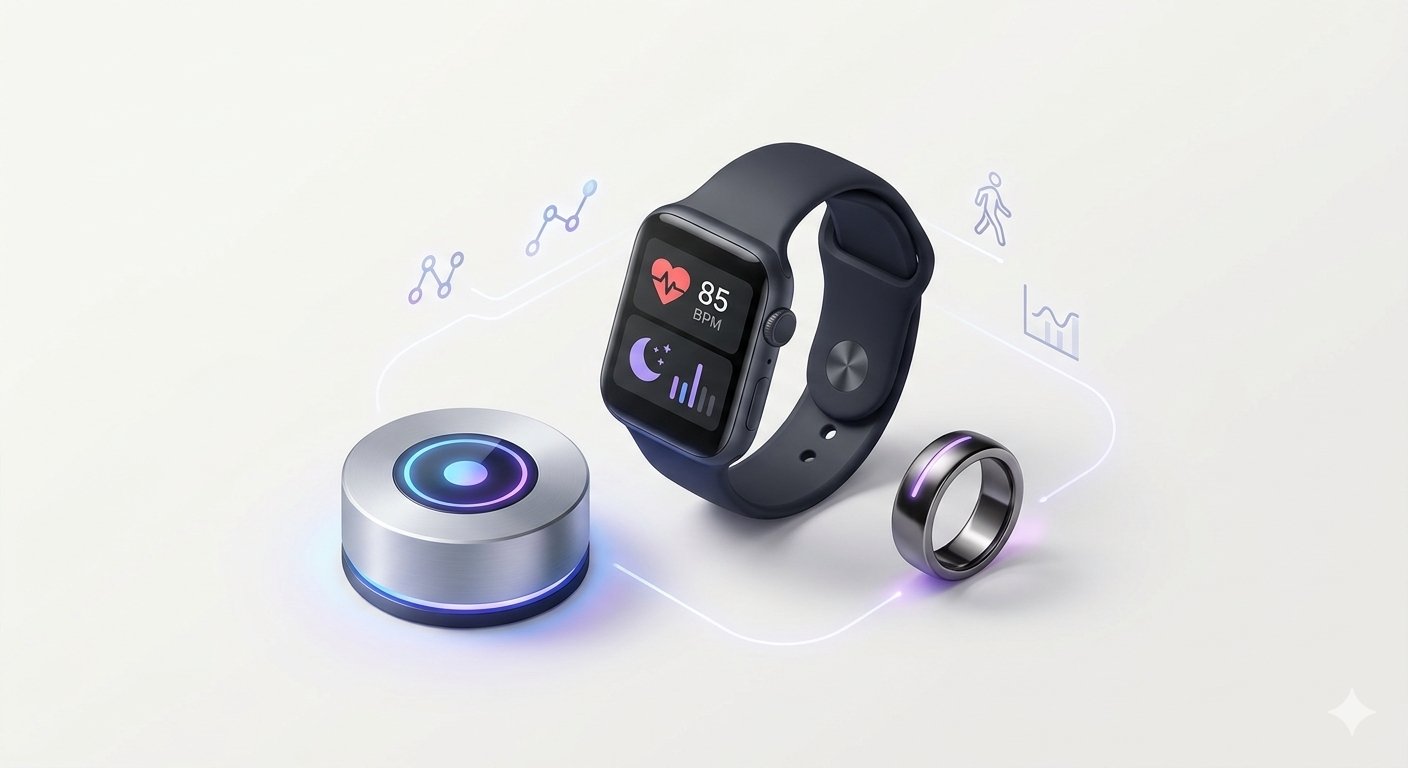
    1. Smartwatches

    Smartwatches act as mini companions to your smartphone. Alongside fitness tracking, they support voice calls, contactless payments, music control, GPS workout mapping, and third-party productivity apps.

    • Best For: Users who want both smart notifications and detailed workout tracking on a bright touchscreen display.

    2. Smart Rings

    Smart rings have surged in popularity because they offer discreet, screen-free health monitoring in a lightweight titanium or ceramic ring. Without a glowing screen to distract you at night, smart rings excel at tracking sleep cycles, body temperature trends, and overnight recovery.

    • Best For: Minimalists, people who prefer wearing traditional mechanical watches, and users focused primarily on sleep and recovery metrics.

    3. Fitness Bands and Activity Trackers

    Slimmer and more affordable than full smartwatches, fitness bands focus on core health essentials such as step counting, heart rate alerts, calorie estimates, and basic message notifications.

    • Best For: Beginners, students, and budget-conscious buyers looking for lightweight all-day comfort and week-long battery life.

    4. Smart Audio Wearables (Open-Ear and Bone-Conduction Headphones)

    Designed for runners, cyclists, and office workers, open-ear wearables deliver clear audio while keeping your ears open to surrounding traffic or conversations.

    • Best For: Outdoor workouts, safe commuting, and all-day calls without ear fatigue.

    Key Sensors Inside Modern Wearable Gadgets

    1. Optical Heart Rate (PPG) Sensors: Use safe green and infrared LED lights on the back of the watch or ring to measure blood flow changes and calculate heart rate and blood oxygen levels.
    2. Accelerometers and Gyroscopes: Detect three-dimensional body movement to count steps accurately, recognize exercises like running or cycling, and detect sudden falls.
    3. Skin Temperature Sensors: Monitor subtle overnight temperature shifts that can signal recovery needs or changes in sleep quality.
    4. Built-In GPS Chips: Record outdoor walking, running, and cycling routes accurately without needing to carry your phone.

    Practical Buying Tips Before Choosing a Wearable Gadget

    • Check Phone Compatibility First: Verify that the smartwatch or smart ring works smoothly with your smartphone’s operating system (Android or iOS) before purchasing.
    • Look for Hidden Subscription Fees: Some wearable brands lock advanced sleep or recovery reports behind monthly app subscriptions, while others include all analytics free of charge.
    • Prioritize Comfort and Water Resistance: Choose a device with at least 5ATM water resistance so you never have to worry about rain, sweat, or handwashing.
    • Evaluate Realistic Battery Life: If you dislike charging another device every night, pick a fitness tracker or smart ring rated for at least 5 to 7 days per charge.

    Frequently Asked Questions (FAQs)

    1. Are wearable health gadgets medically accurate?

    Wearable gadgets provide reliable wellness trends for heart rate, sleep duration, and daily activity, but they are consumer fitness devices rather than certified medical instruments. Always consult a doctor for medical diagnosis.

    2. What is the main difference between a smartwatch and a smart ring?

    A smartwatch includes a touchscreen for notifications, apps, and GPS workouts, whereas a smart ring has no screen and focuses on discreet 24/7 sleep, heart rate, and recovery tracking.

    3. Do wearable gadgets emit harmful radiation?

    No. Wearable devices use ultra-low-power Bluetooth Low Energy (BLE) signals that operate well below international safety limits and are safe for continuous daily wear.

    4. How often should I clean my smartwatch or fitness band?

    Wipe the back sensors and strap gently once or twice a week with a soft, slightly damp cloth to remove sweat and skin oils so optical sensors stay accurate.

    5. Can a smartwatch track sleep and steps without being connected to a phone?

    Yes. Modern smartwatches and smart rings store several days of activity and sleep data internally and sync everything automatically the next time they connect to your smartphone via Bluetooth.

    Conclusion

    Wearable tech gadgets have evolved from simple step counters into intelligent everyday companions that encourage healthier habits and keep essential information within easy reach. By choosing a comfortable, water-resistant device with strong battery life and clear app insights, beginners can get lasting value from wearable technology in 2026.

  • What Are Smart Gadgets? Top Must-Have Everyday Tech Gadgets in 2026

    What Are Smart Gadgets? Top Must-Have Everyday Tech Gadgets in 2026

    Smart gadgets have become an everyday part of modern living, helping people save time, stay healthy, work more comfortably, and keep their homes secure. Unlike bulky electronics from the past, today’s smart gadgets are compact, wireless, energy-efficient, and powered by sensors and artificial intelligence that adapt to your daily habits.

    In 2026, consumer electronics are designed to work seamlessly with smartphones and cloud apps, turning simple accessories like watches, earbuds, plugs, and security cameras into intelligent personal assistants. For beginners and everyday buyers, understanding what makes a gadget truly useful helps avoid wasteful impulse purchases and choose devices that add real value.

    What Makes a Gadget “Smart”?

    A traditional electronic device simply performs one manual function when you press a button. A smart gadget goes further by combining three core features:

    • Built-In Sensors: Motion, heart-rate, temperature, light, or voice sensors that detect changes in your environment or body automatically.
    • Wireless Connectivity: Bluetooth, Wi-Fi, or Ultra-Wideband (UWB) chips that connect the gadget to your smartphone or home network.
    • Companion Apps and Automation: Mobile apps that display useful insights, send alerts, and let you schedule automatic actions without manual effort.

    Top Categories of Useful Smart Gadgets in 2026

    1. Wearable Health and Fitness Gadgets

    Smartwatches and smart fitness rings are among the most popular everyday gadgets because they sit comfortably on your wrist or finger while tracking essential wellness metrics 24/7.

    • Key Benefits: Continuous heart-rate monitoring, sleep stage tracking, step goals, workout detection, and instant call or message notifications without pulling out your phone.

    2. True Wireless Earbuds and Noise-Canceling Headphones

    Modern wireless audio gadgets use Active Noise Cancellation (ANC) and spatial audio processors to block background traffic or office chatter during calls, study sessions, and travel.

    • Key Benefits: Multi-device Bluetooth pairing, clear voice pickup microphones, compact pocket charging cases, and long battery life.

    3. Smart Home Automation Gadgets

    You do not need an expensive luxury house to enjoy smart home convenience. Simple plug-and-play gadgets upgrade any standard room in minutes:

    • Smart Wi-Fi Plugs: Turn ordinary lamps, fans, or coffee makers on and off from your phone or set automatic timers to save electricity.
    • Smart LED Bulbs: Adjust room brightness and warm-to-cool lighting tones depending on whether you are studying, relaxing, or sleeping.
    • Indoor Smart Security Cameras: Receive instant motion alerts and check live video feeds securely from anywhere while traveling.

    4. Portable Power and Desk Productivity Gadgets

    For students, remote workers, and travelers, compact desk and charging gadgets keep workflows smooth and clutter-free:

    • GaN (Gallium Nitride) Fast Chargers: Smaller, cooler, and much faster than older chargers—capable of powering a laptop, smartphone, and earbuds simultaneously from a single wall socket.
    • Magnetic Wireless Power Banks: Snap onto the back of compatible phones without messy cables during long commutes.
    • Ergonomic Wireless Keyboards and Mice: Reduce wrist strain during long typing or editing sessions while switching smoothly between a laptop and tablet.

    Practical Buying Checklist Before Purchasing Any Tech Gadget

    Before spending money on a new gadget, check these five practical points:

    1. Real Everyday Utility: Ask yourself whether you will still use the gadget three months from now, or if it is just a temporary novelty.
    2. Battery Life and Charging Port: Prefer devices with USB-C charging and reliable multi-day battery performance so you do not have to carry proprietary cables.
    3. App Reliability and Privacy: Check user reviews of the companion mobile app and verify that the brand provides regular firmware and security updates.
    4. Cross-Device Compatibility: Make sure the gadget works smoothly with both Android and iOS devices in case you switch phones later.
    5. Warranty and After-Sales Support: Always buy electronics from trusted brands or authorized sellers offering clear warranty coverage.

    How to Maintain and Extend the Lifespan of Your Gadgets

    • Keep Charging Ports Clean: Gently remove pocket lint or dust from USB-C ports using a dry wooden toothpick or soft brush.
    • Protect Against Heat and Moisture: Never leave power banks, earbuds, or smartwatches inside a hot parked car or under direct afternoon sunlight.
    • Update Companion Firmware: Installing official device updates fixes Bluetooth connection drops and improves battery efficiency.

    Frequently Asked Questions (FAQs)

    1. What are the most useful smart gadgets for students in 2026?

    Noise-canceling wireless earbuds for focused study, a compact GaN multi-port fast charger, a lightweight wireless mouse, and a reliable power bank are among the most practical gadgets for students.

    2. Are smart home gadgets difficult to set up for beginners?

    No. Most modern smart plugs, smart bulbs, and indoor cameras connect directly to your home Wi-Fi in under five minutes using simple step-by-step instructions inside their mobile apps.

    3. What is a GaN charger and why is it better than a normal charger?

    A GaN (Gallium Nitride) charger uses advanced semiconductor material that generates less heat than traditional silicon chargers, allowing it to deliver higher charging speeds in a much smaller size.

    4. Do smartwatches work without keeping a phone nearby all the time?

    Yes. Most smartwatches track steps, workouts, heart rate, and sleep offline and automatically sync the data to your phone later when Bluetooth reconnects.

    5. How can I keep my smart home gadgets safe from hackers?

    Use a strong, unique Wi-Fi password, enable two-factor authentication on your smart home app accounts, and install firmware updates whenever notified.

    Conclusion

    Smart gadgets are at their best when they quietly simplify everyday routines, improve personal wellness, and reduce digital clutter. By focusing on practical features, USB-C compatibility, strong battery life, and trusted brands, beginners and tech enthusiasts alike can build a reliable collection of everyday gadgets that truly make life easier.